
WhisperOne
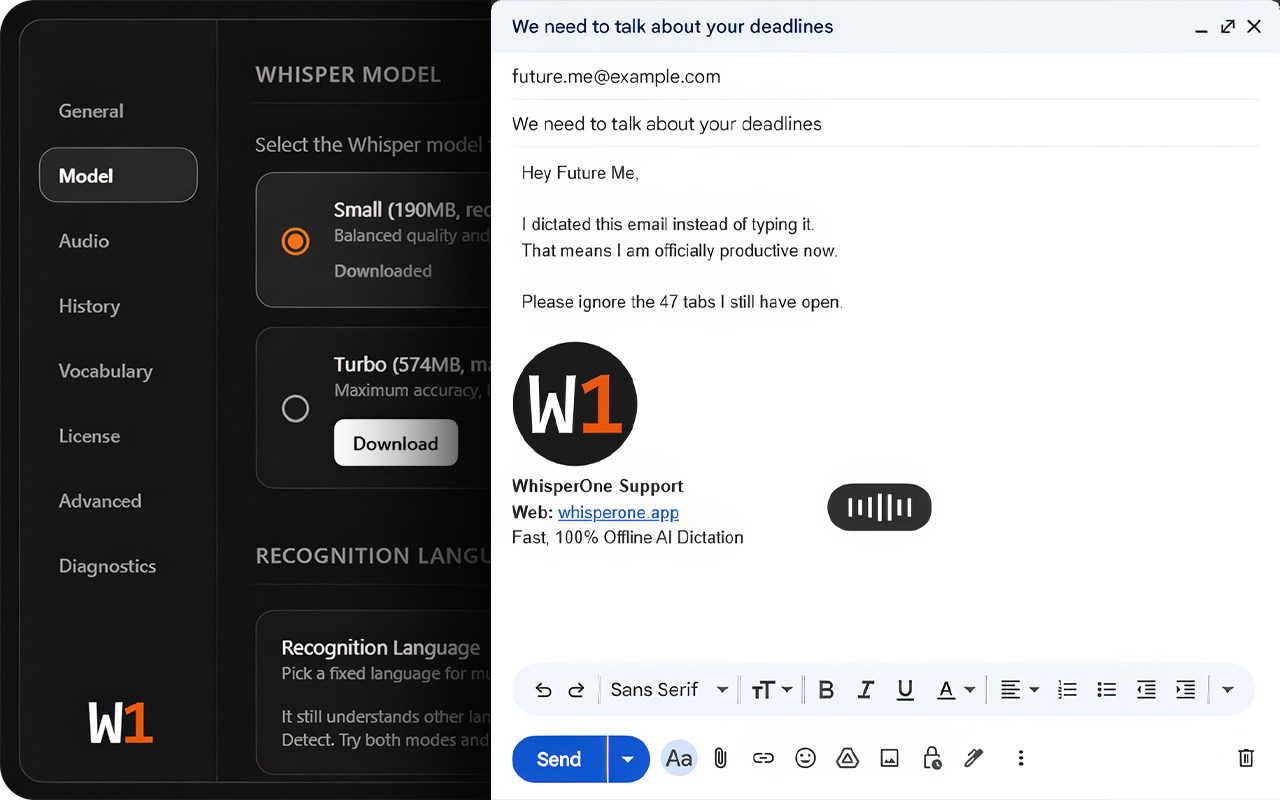
Private, local-first desktop dictation for Windows and macOS. Press a hotkey, speak, and insert text into any app.
Overview
Private, local-first desktop dictation for Windows and macOS. Press a hotkey, speak, and insert text into any app.
- Local-first dictation — Transcribe speech on your desktop with a private, local-first workflow instead of a cloud-first dictation service.
- Works in any app — Press a hotkey, speak, and insert text into the active text field: Gmail, docs, chat, tickets, notes, and more.
- Lightweight desktop utility — Runs quietly in the background without forcing you into a heavy editor or browser extension.
- Windows and macOS support — Use the same fast dictation workflow across Windows and macOS desktop environments.
- Hotkey-first workflow — Start dictation quickly from the keyboard, speak naturally, and keep working in the app you already opened.
- Built for daily writing — Designed for repetitive text work: email replies, support notes, internal docs, product updates, and quick messages.
Who it's for
- Founders, developers, writers, marketers, and knowledge workers who type a lot every day and want private desktop voice dictation for emails, docs, tickets, notes, and chat messages.
Pricing
What we hold on record for WhisperOne.
- Pricing model
- Free Trial
- Plan details
- 29 / lifetime
Advertised prices often assume annual billing — The Annual-Billing Illusion , our study of 150 tools.
Frequently asked questions
Is WhisperOne free?
WhisperOne is a paid product with a free trial.
How much does WhisperOne cost?
29 / lifetime.
What are the best WhisperOne alternatives?
The closest matches in our directory are Skryve: Visual summaries + Second brain, Breef, Travel Itinerary Template and Markdown Viewer — see "More tools like this" below for the full set.
Keep comparing
Reviews
No reviews yet
Be the first to share your experience.
More tools like this
All Productivity tools →Looking for AI tools similar to WhisperOne? These are the closest picks in our index.

AI video summaries that capture words and visuals. Search your videos, connect ideas & make content. For YouTube and Rumble.

Breef turns your notes into a map of what you know, and brings each one back for review before you forget it.

Free online itinerary maker with 900+ ready-made trip plans across 96 countries — edit day-by-day plans, then export to PDF, Excel, CSV, Google Sheets or calendar (.ics).

Read, search, annotate and export Markdown files in your browser.

Feature request board with an MCP server per board for your coding agent

GoodExts is the free hub for AgentRelay — a free Windows 10/11 service that connects your extensions and workflows to Codex, Grok Bot and Antigravity without separate API keys — plus free X/Twitter Chrome extensions.

YouTube tools for creators
Browser-based transcription for audio and video.

A free text expander, Markdown notes app and clipboard manager for Mac and Chrome. Type a few letters and the whole reply lands, in any app or on any site.