
PushToDisplay
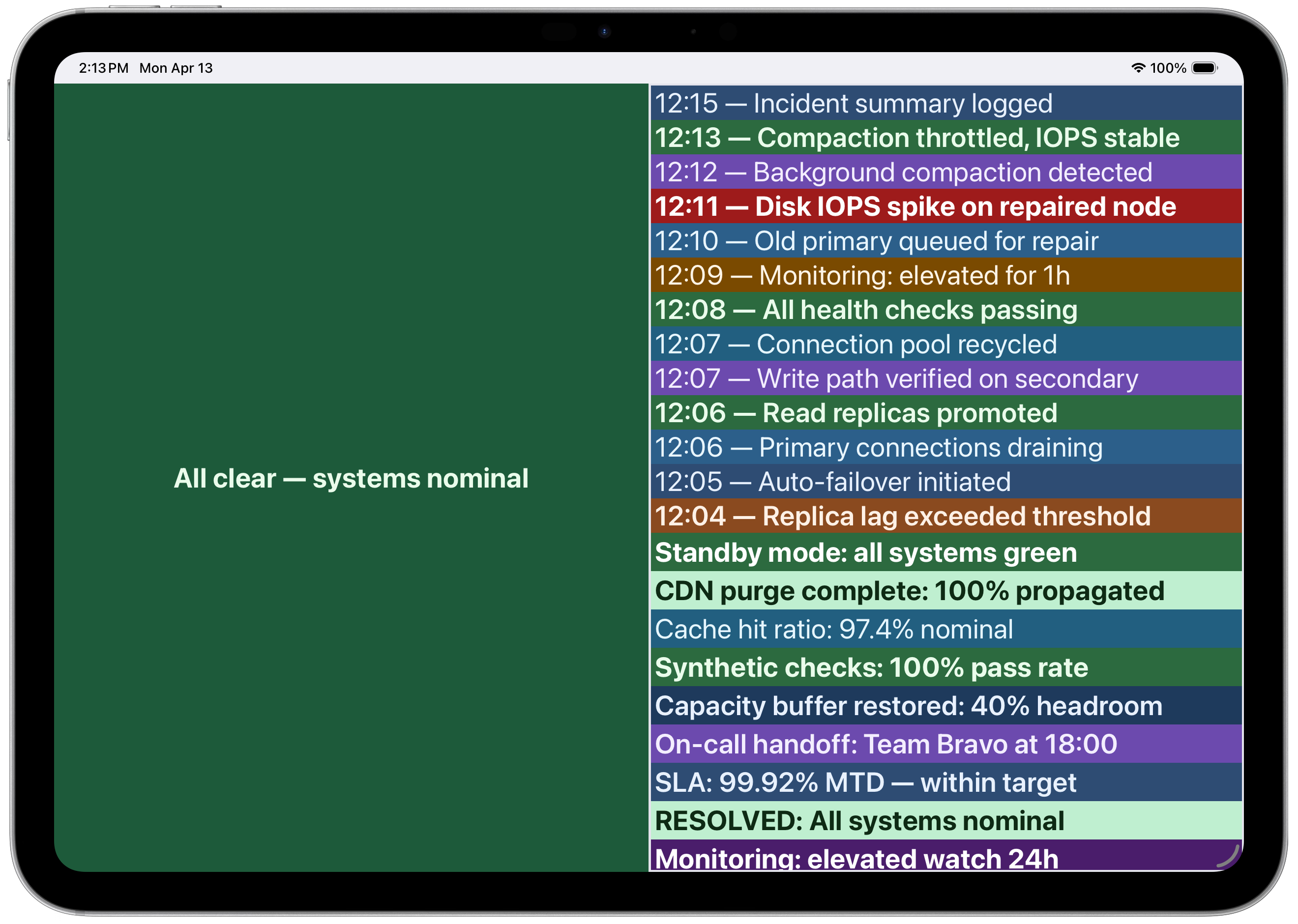
PushToDisplay turns any device into a programmable shared display board. Send structured content via HTTP API, CLI, MCP server, or GitHub Action and see it rendered in real time, with four layout presets and panel-targeted routing.
Overview
PushToDisplay turns any device into a programmable shared display board. Send structured content via HTTP API, CLI, MCP server, or GitHub Action and see it rendered in real time, with four layout presets and panel-targeted routing.
- Real-time delivery — Messages appear on display boards instantly via WebSocket; no polling, no delays.
- Panel-targeted routing — Update a specific panel (1–4) without replacing the entire board.
- Four layout presets — Full Screen, Stacked, Side by Side, and 2x2 Grid for multi-stream boards.
- MCP server for AI agents — Claude Code, Cursor, Codex and other MCP-capable agents control boards natively.
- CLI — Send content and manage boards from the terminal; pipe any script output to a board.
- GitHub Action — Push deployment status, build results, and alerts to boards straight from CI/CD.
- HTTP API — One endpoint, structured payloads, token-based auth — connect any system.
- Kiosk mode — Lock displays to board content for unattended signage in lobbies and shop floors.
Who it's for
- Developers, DevOps/ops teams, and AI-agent operators who need automation-generated content visible in real time on shared displays.
Pricing
What we hold on record for PushToDisplay.
- Pricing model
- Free Tool
Advertised prices often assume annual billing — The Annual-Billing Illusion , our study of 150 tools.
Frequently asked questions
Is PushToDisplay free?
Yes — PushToDisplay is free to use.
How much does PushToDisplay cost?
Nothing — it's completely free.
Keep comparing
Reviews
No reviews yet
Be the first to share your experience.
More tools like this
All Developer Tools tools →Looking for AI tools similar to PushToDisplay? These are the closest picks in our index.

Uncensored AI chat and API for open-ended conversation, reverse engineering, and red teaming. Comes with RedCLI, a custom harness for red teaming and mobile phone use.
Dictate directly into your apps and terminal on Mac or Windows, with on-device speech recognition, automatic text cleanup, and a custom dictionary.

Bring live meeting transcripts, screenshots, and project notes into one AI workspace for contextual answers, response drafts, and meeting recaps.

Feature request board with an MCP server per board for your coding agent
Free GPU cost calculator that estimates LLM inference cost per million tokens across GPU clouds (RunPod, Lambda, Vast.ai) using public on-demand and spot listing prices, no signup required

GoodExts is the free hub for AgentRelay — a free Windows 10/11 service that connects your extensions and workflows to Codex, Grok Bot and Antigravity without separate API keys — plus free X/Twitter Chrome extensions.

Let your AI agent answer questions about your real bank data. BankBridge is a hosted MCP server with read-only access to your bank accounts, transactions and holdings, for Claude, ChatGPT, Cursor and Gemini. $5/mo per connected bank, cancel any time.

LaunchIntel gives Claude Code or Codex curated, categorized directory playbooks, each tested end to end, to submit your product and track every step.

Estimate what Claude, GPT and Gemini cost a month for your job, with caching and batch pricing, across 11 models.