
Papercrane ai
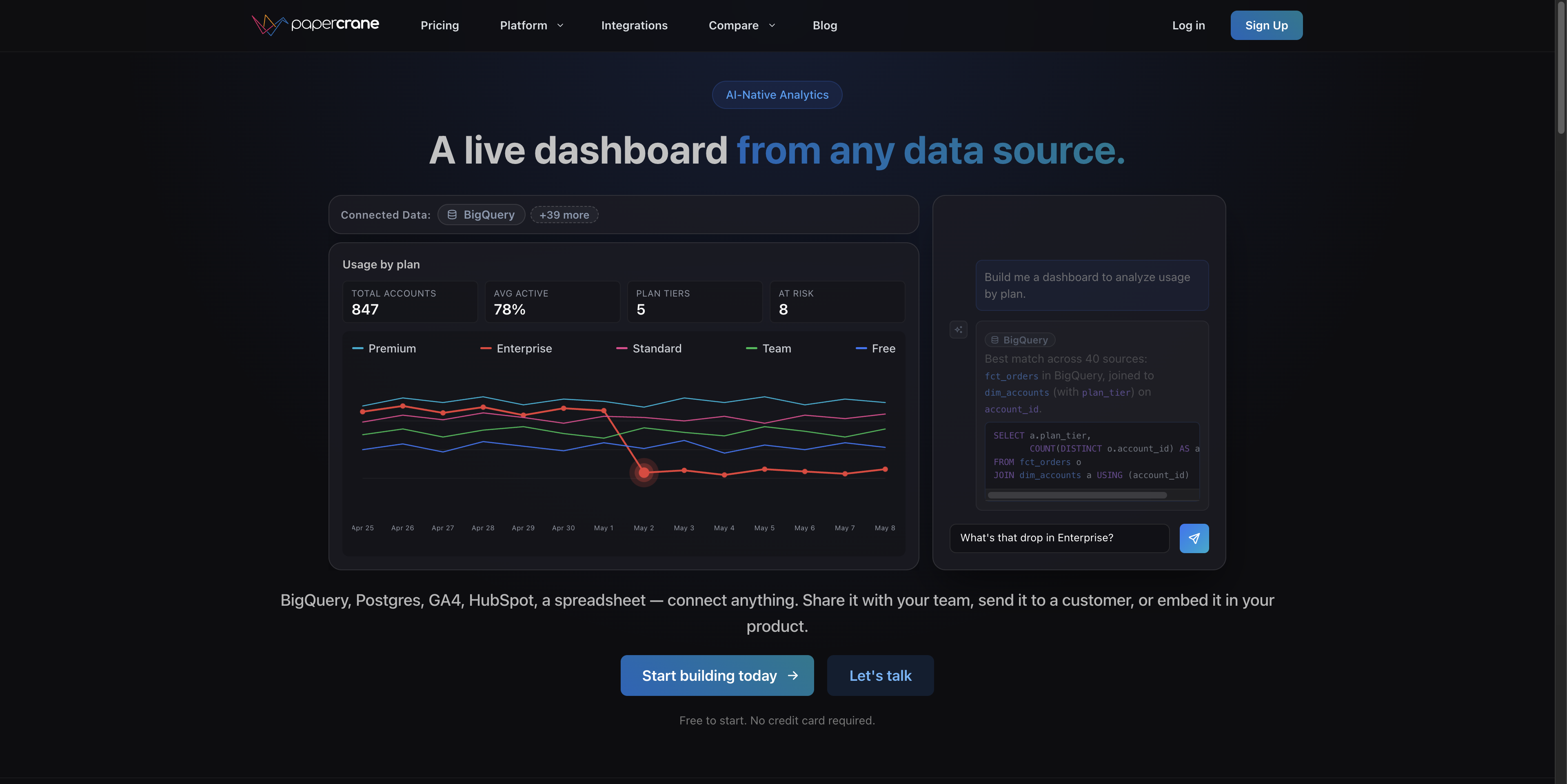
Papercrane is an AI native analytics platform that builds production ready dashboards from any data source in seconds. Connect BigQuery, Snowflake, PostgreSQL, GA4, HubSpot, spreadsheets, and more. Just describe what you want to see, and the AI handles SQL, charts, and layout.
Overview
Papercrane lets you build dashboards by describing what you want in plain English. Connect your data sources — BigQuery, Snowflake, PostgreSQL, GA4, HubSpot, Shopify, and 45+ others — and the AI writes the SQL, picks the chart types, and arranges the layout. You skip the drag-and-drop grind and get something usable without writing a single query. You're working with a prompt-to-dashboard workflow, which means the quality of your output depends on how clearly you can describe what you need. For straightforward metrics and standard reporting, this works well. For complex, highly custom visualizations, you may still need to tweak the output. The freemium tier gives you enough to evaluate whether it fits your stack. It's aimed at teams that have data in multiple places and want a faster path to reporting without hiring a dedicated BI engineer or learning a tool like Looker from scratch.
- Generate dashboards from natural language prompts — no SQL or chart configuration required.
- Connect to 50+ data sources including BigQuery, Snowflake, PostgreSQL, MongoDB, GA4, Google Ads, Facebook Ads, LinkedIn Ads, HubSpot, Shopify, Airtable, and spreadsheets.
- AI writes and runs the underlying SQL queries based on your description.
- Handles chart selection and dashboard layout automatically.
- Supports both cloud data warehouses and SaaS platform connectors in the same dashboard.
- Freemium tier available for initial evaluation.
What stands out
- Covers a wide range of connectors, including both warehouses and marketing/CRM platforms.
- Removes the SQL and BI configuration bottleneck for non-technical users.
- Faster time-to-dashboard compared to traditional tools like Looker or Metabase setup.
- Natural language interface lowers the barrier for ad-hoc reporting.
Where it falls short
- AI-generated SQL and layouts may need manual correction for complex or nuanced queries.
- Freemium limits aren't fully disclosed upfront — you'll need to test before knowing if paid tiers are necessary.
- Prompt-dependent output quality means vague descriptions produce vague dashboards.
- Less control over fine-grained visual customization compared to dedicated BI tools.
Who it's for
- Startup operators who need dashboards fast but don't have a dedicated data analyst on staff.
- Growth and marketing teams managing data across GA4, HubSpot, and ad platforms simultaneously.
- Solo founders who understand their data but don't want to write SQL or configure BI tools.
- Small engineering teams that want to ship internal reporting without building it from scratch.
- Agencies managing client data across multiple sources who need repeatable, fast reporting.
Pricing
What we hold on record for Papercrane ai.
- Pricing model
- Freemium
- Plan details
- 50
Advertised prices often assume annual billing — The Annual-Billing Illusion , our study of 150 tools.
Our take
Looker for people who hate Looker
— Toolhunter editors
Frequently asked questions
Is Papercrane ai free?
There's a free tier. Paid upgrades are available.
What is Papercrane ai used for?
Looker for people who hate Looker. It's listed under Developer Tools in our directory.
What are the best Papercrane ai alternatives?
The closest matches in our directory are AI Token Cost Calculator (Tavi), Launchy, ToolRoots and LightScreen — see "More tools like this" below for the full set.
Keep comparing
Reviews
No reviews yet
Be the first to share your experience.
More tools like this
All Developer Tools tools →Looking for AI tools similar to Papercrane ai? These are the closest picks in our index.

Estimate what Claude, GPT and Gemini cost a month for your job, with caching and batch pricing, across 11 models.

A weekly curated batch of handpicked product launches for makers and users to discover.

Local alternatives to the tools you already use

Free fullscreen light screen. No download.

Face recognition API that is a drop-in replacement for AWS Rekognition: index, search, compare and detect faces, billed per photo with no subscription.

Free online screen tests and troubleshooting guides. No downloads required.

A free perfume knowledge connector for AI assistants: 1,400+ designer and niche perfumes, 400+ raw materials and a family map, over MCP or REST. No key, no account.

Turn website visitors into leads and customers with AI.

Free directory to discover trending dev tools, AI tools and SaaS