
Microsoft Designer
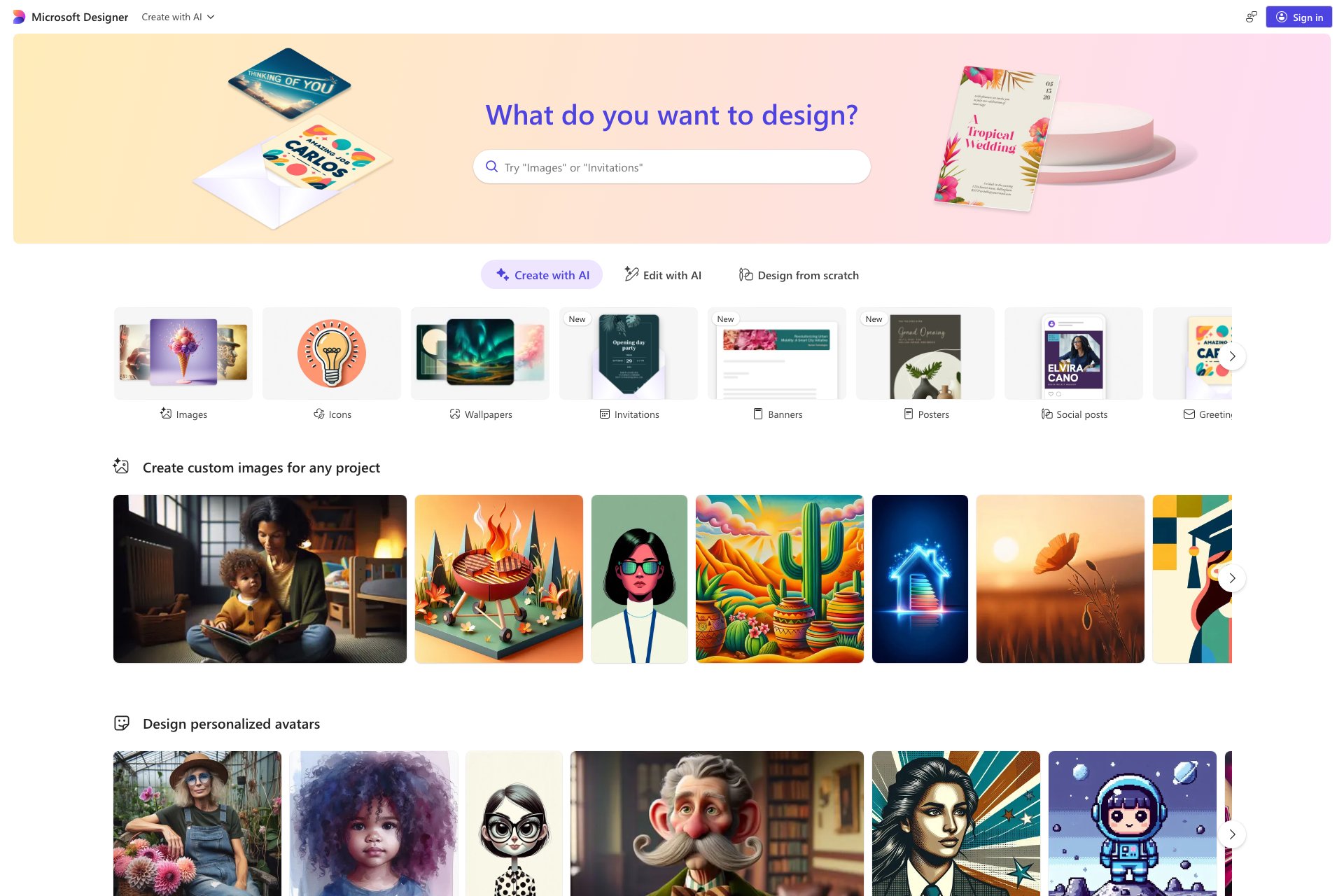
Microsoft Designer creates stunning designs from text descriptions quickly.
Overview
- Quick and easy design creation
- Ability to start with a simple text description
- Produces stunning designs
- Allows for image creation within the tool
- Powered by Microsoft technology
Who it's for
- Small business owners who need to create marketing materials quickly and on a budget.
- Social media influencers who want to create eye-catching graphics for their posts.
- Non-profit organizations who need to create promotional materials for events and fundraisers.
- Students and educators who need to create visually appealing presentations and reports.
- Freelance designers who want to streamline their design process and create mockups for clients.
Pricing
What we hold on record for Microsoft Designer.
- Pricing model
- Contact for Pricing
Advertised prices often assume annual billing — The Annual-Billing Illusion , our study of 150 tools.
Frequently asked questions
Is Microsoft Designer free?
Microsoft Designer doesn't publish pricing — you'll need to contact the team for a quote.
What are the best Microsoft Designer alternatives?
The closest matches in our directory are Book Cover Generator, ogimagegenerator.dev, SketchVideo AI and drakeaivideo — see "More tools like this" below for the full set.
Keep comparing
Reviews
No reviews yet
Be the first to share your experience.
More tools like this
All Design tools →Looking for AI tools similar to Microsoft Designer? These are the closest picks in our index.
AI book cover generator for indie authors: turn your title, genre and story summary into two distinct cover directions, then refine and download.
Paste a URL and AI reads your page, picks up your brand colours, fonts and logo, and designs Open Graph images that fit it. Edit everything, export a PNG or get a hosted og:image link. Free, no account.
Animate a Drawing AI turns hand-drawn pictures, doodles, pencil sketches, and illustrations into animated videos while preserving their original visual style.

Turn a photo of yourself, your pet, or a character into a personalized Burning Bridges AI dance video with synchronized audio, ready to share on TikTok, Reels, and Shorts.
Study color, typography and layout across 139 brand-design references in structured Markdown, then bring clearer context into AI-assisted design briefs.

Blur faces, text & license plates instantly in your browser. 100% private AI — no uploads, no sign-up.
AI tattoo generator for turning ideas, photos & sketches into expressive designs.

AI Design Home helps you visualize changes to your space before making them. Upload a photo of a room, house exterior, or garden, choose a style, and generate a realistic design preview based on your own space.
Turn your ideas into custom tattoo designs with AI, explore six styles, and create visual references to discuss with your tattoo artist—try your first design free.