
Overview
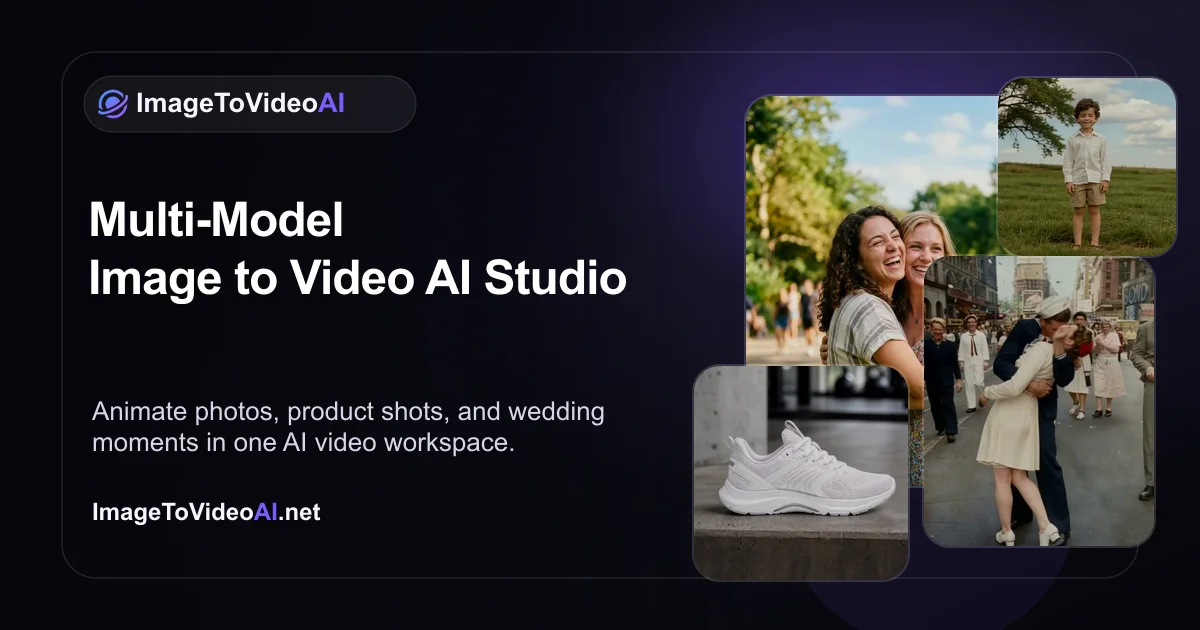
ImageToVideoAI lets you feed a still image into one of 14 AI video generation models and get back a short animated clip. You pick the model, adjust motion parameters, and export — no video editing timeline, no keyframing, no compositing knowledge required. The whole workflow is browser-based and takes minutes per clip. You get access to models with different motion styles and quality trade-offs, so you can test which one handles your specific image type best — portraits, landscapes, product shots, illustrations. The free tier lets you experiment before committing to a paid plan. At $23.90/month the paid plan is aimed at creators who need this regularly, not someone who wants to animate one photo for a birthday post. If you're producing social content, client presentations, or short-form video at volume, the per-clip cost math works out reasonably. Casual users will likely hit free tier limits fast.
- Choose from 14 distinct AI video generation models per render
- Animate any still image — photos, illustrations, AI-generated art
- Adjust motion intensity and direction before generating
- Browser-based — no software install or local GPU required
- Free tier available for testing before paying
- Export clips ready for social or further editing
What stands out
- 14 models in one place means you can compare outputs without juggling multiple subscriptions
- No technical setup — works in the browser immediately
- Free tier gives you real hands-on testing before you pay
- Faster than any manual animation workflow for simple motion effects
Where it falls short
- At $23.90/month it's hard to justify for occasional personal use
- Output clip length is short — not suited for anything beyond social-format video
- Quality varies significantly between models; finding the right one for your image type takes trial and error
- No timeline editor — you get what the model gives you, with limited post-generation control
Who it's for
- Social media managers who need to turn static brand assets into video content without hiring a motion designer
- E-commerce sellers who want animated product visuals for ads without a video shoot
- Content creators who batch-produce short-form video and need a fast still-to-motion pipeline
- Marketing agencies running campaigns where client photography needs to move
- Indie filmmakers or YouTubers who want to add motion to archival or AI-generated images
Pricing
What we hold on record for ImageToVideoAI.
- Pricing model
- Freemium
- Plan details
- 23.9/mo
Advertised prices often assume annual billing — The Annual-Billing Illusion , our study of 150 tools.
Our take
Canva for people who need photos to move
— Toolhunter editors
Frequently asked questions
Is ImageToVideoAI free?
There's a free tier. Paid upgrades are available.
What is ImageToVideoAI used for?
Canva for people who need photos to move. It's listed under Design in our directory.
What are the best ImageToVideoAI alternatives?
The closest matches in our directory are Home Design AI, Book Cover Generator, ogimagegenerator.dev and SketchVideo AI — see "More tools like this" below for the full set.
Keep comparing
Reviews
No reviews yet
Be the first to share your experience.
More tools like this
All Design tools →Looking for AI tools similar to ImageToVideoAI? These are the closest picks in our index.

AI-powered home design tool for interiors, exteriors, and floor plans. Upload a photo and get realistic redesign renders in seconds.

AI book cover generator for indie authors: turn your title, genre and story summary into two distinct cover directions, then refine and download.
Paste a URL and AI reads your page, picks up your brand colours, fonts and logo, and designs Open Graph images that fit it. Edit everything, export a PNG or get a hosted og:image link. Free, no account.
Animate a Drawing AI turns hand-drawn pictures, doodles, pencil sketches, and illustrations into animated videos while preserving their original visual style.

Turn a photo of yourself, your pet, or a character into a personalized Burning Bridges AI dance video with synchronized audio, ready to share on TikTok, Reels, and Shorts.
Study color, typography and layout across 139 brand-design references in structured Markdown, then bring clearer context into AI-assisted design briefs.

Blur faces, text & license plates instantly in your browser. 100% private AI — no uploads, no sign-up.

AI tattoo generator for turning ideas, photos & sketches into expressive designs.

AI Design Home helps you visualize changes to your space before making them. Upload a photo of a room, house exterior, or garden, choose a style, and generate a realistic design preview based on your own space.