Image to 3D AI
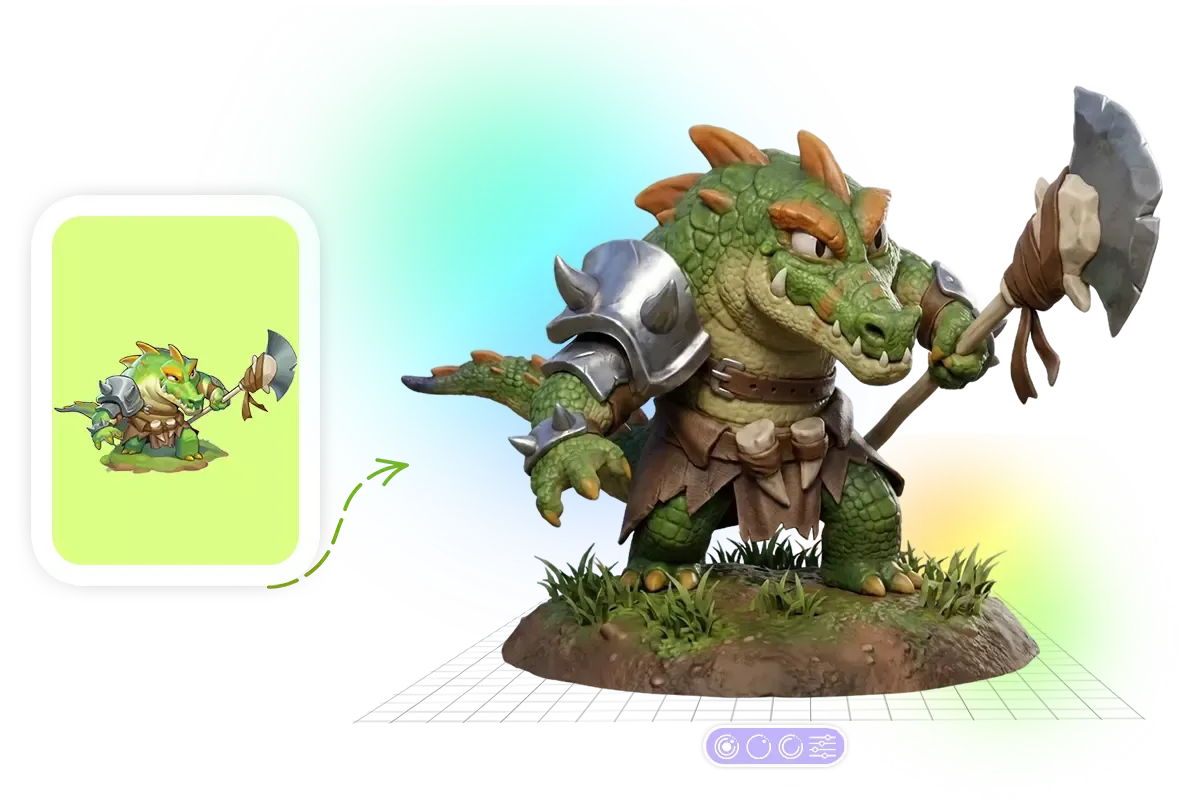
Turn Image to 3D Model with AI Easily convert any image to 3D model with Image to 3d AI converter. Create production-ready 3D models from character illustrations, three-view drawings or any images in just minutes.
Overview
You upload an image and get a 3D model back. That's the core loop here. Image to 3D AI handles character illustrations, three-view drawings, or general images and outputs production-ready 3D assets. The tool also accepts text prompts if you don't have a reference image handy. You describe what you want, it generates the 3D model. The pitch is speed—minutes instead of hours of manual modeling work. Whether this fits your workflow depends on your quality bar and what you're building. For rapid prototyping, concept visualization, or getting a starting point to refine, it could save real time. For final production assets, you'll likely need to clean things up.
- Convert any 2D image into a 3D model automatically
- Generate 3D models from text descriptions alone
- Process three-view drawings for more accurate results
- Export production-ready assets in minutes
- Skip the manual modeling learning curve entirely
What stands out
- Free to use—no pricing barrier to try it
- Dead simple workflow: upload, wait, download
- Handles both image and text inputs
- Fast turnaround compared to manual modeling
Where it falls short
- Output quality likely varies significantly by input complexity
- Free tier probably means usage limits or lower priority processing
- Generated models may need cleanup for production use
- Limited control over mesh topology and detail placement
Who it's for
- 3D artists who need quick base meshes to iterate on
- Game developers prototyping characters without dedicated modelers
- Digital artists exploring 3D without learning Blender from scratch
- Content creators who need 3D assets but lack modeling skills
- Hobbyists converting their 2D art into something dimensional
Pricing
What we hold on record for Image to 3D AI.
- Pricing model
- Free Tool
- Plan details
- 0
Advertised prices often assume annual billing — The Annual-Billing Illusion , our study of 150 tools.
Our take
Blender shortcuts for 2D artists
— Toolhunter editors
Frequently asked questions
Is Image to 3D AI free?
Yes — Image to 3D AI is free to use.
How much does Image to 3D AI cost?
Nothing — it's completely free.
What is Image to 3D AI used for?
Blender shortcuts for 2D artists. It's listed under Design in our directory.
What are the best Image to 3D AI alternatives?
The closest matches in our directory are Tattoo Drawings, AI Sticker Maker, Home Design AI and Book Cover Generator — see "More tools like this" below for the full set.
Keep comparing
Reviews
No reviews yet
Be the first to share your experience.
More tools like this
All Design tools →Looking for AI tools similar to Image to 3D AI? These are the closest picks in our index.
Generate custom AI tattoo designs, preview them on your body, and create printable tattoo stencils.
AI Sticker Maker is a free online AI sticker generator. Turn a short text prompt or portrait into a clean sticker, then download PNG or WebP. Guests get 3 generations with no account or credit card. Failed generations return the credit. One-time credit packs available—no subscrip

AI-powered home design tool for interiors, exteriors, and floor plans. Upload a photo and get realistic redesign renders in seconds.
AI book cover generator for indie authors: turn your title, genre and story summary into two distinct cover directions, then refine and download.
Paste a URL and AI reads your page, picks up your brand colours, fonts and logo, and designs Open Graph images that fit it. Edit everything, export a PNG or get a hosted og:image link. Free, no account.
Animate a Drawing AI turns hand-drawn pictures, doodles, pencil sketches, and illustrations into animated videos while preserving their original visual style.

Turn a photo of yourself, your pet, or a character into a personalized Burning Bridges AI dance video with synchronized audio, ready to share on TikTok, Reels, and Shorts.
Study color, typography and layout across 139 brand-design references in structured Markdown, then bring clearer context into AI-assisted design briefs.
Blur faces, text & license plates instantly in your browser. 100% private AI — no uploads, no sign-up.