
Comet
Perplexity's AI browser — a Chromium browser with an agent living in the sidebar that knows your current tab, keeps context across your session, and can take actions on your behalf.
Overview
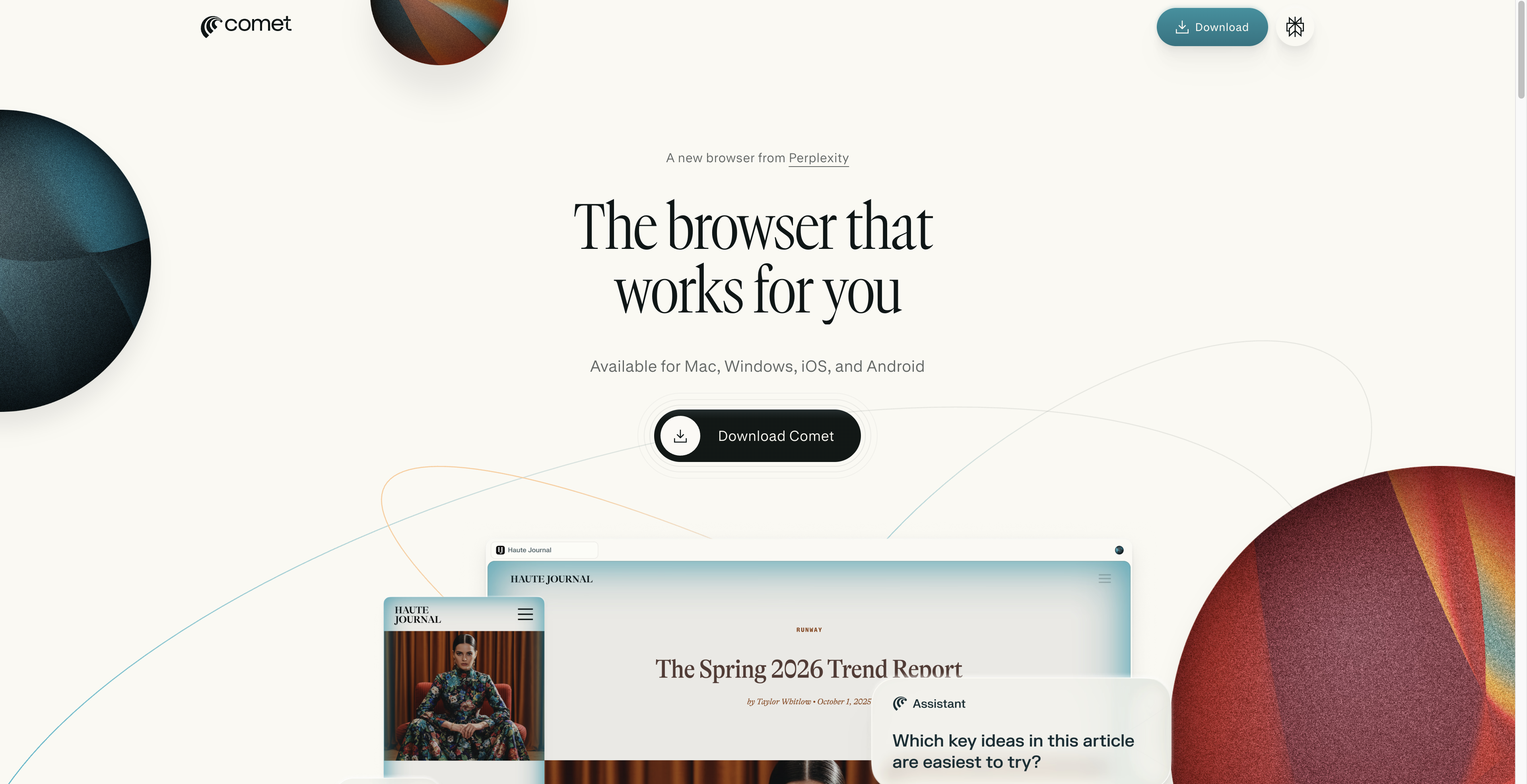
Comet is a Chromium-based browser built by Perplexity that embeds an AI agent directly in the sidebar. The agent sees what tab you're on, maintains context across your browsing session, and can take actions on your behalf — filling forms, navigating pages, summarizing content, or chaining multi-step tasks without you switching to a separate chat window. You get a browser that behaves like a capable assistant is always watching over your shoulder. Because it's built on Chromium, your existing extensions and workflows carry over. The agent model defaults to Perplexity's standard tier, but Max subscribers can swap in a more capable model for heavier agentic work. Comet launched behind a $200/month paywall and dropped it entirely in March 2026 — it's now free on iOS, Android, Mac, and Windows. That changes the calculus considerably: you're not paying a premium for a browser experiment, you're just switching your default browser.
- See your current tab automatically — no manual copy-paste to give the agent context.
- Retain context across your session so you can pick up mid-task without re-explaining.
- Delegate multi-step web tasks like form-filling, navigation, and data gathering to the agent.
- Run inside a full Chromium browser so existing extensions keep working.
- Upgrade the agent model via Perplexity Max for more capable agentic tasks.
- Available across iOS, Android, Mac, and Windows at no cost.
What stands out
- Free across all platforms after Perplexity dropped the $200/month paywall in March 2026.
- Sidebar agent has live tab context — no context-switching or manual input required.
- Chromium base means extension compatibility and a familiar browsing experience.
- Cross-session memory makes it genuinely useful for multi-session research projects.
Where it falls short
- Switching your default browser is a real commitment — bookmarks, passwords, and habits all need to migrate.
- More capable agent model is locked behind Perplexity Max subscription.
- Agentic browser tools have a real attack surface; giving an agent tab access and action permissions requires trust in Perplexity's security practices.
- Still early — agentic reliability on complex multi-step tasks across arbitrary sites is inconsistent industry-wide.
Who it's for
- Researchers who spend hours tabbing between sources and want an agent that tracks what they've already read.
- Solo founders shipping fast who need to automate repetitive web workflows without writing scripts.
- Power users who want AI assistance without copy-pasting context into a separate chat window.
- Anyone already in the Perplexity ecosystem looking to extend it into their daily browsing.
- Knowledge workers who do heavy web-based research and want summarization and task delegation in-context.
Pricing
What we hold on record for Comet.
- Pricing model
- Free Tool
- Plan details
- Free on iOS, Android, Mac & Windows (paywall dropped March 2026); Max subscribers can pick the agent model
Advertised prices often assume annual billing — The Annual-Billing Illusion , our study of 150 tools.
Our take
Chrome, but the tab talks back.
— Toolhunter editors
Frequently asked questions
Is Comet free?
Yes — Comet is free to use.
How much does Comet cost?
Nothing — it's completely free.
What is Comet used for?
Chrome, but the tab talks back. It's listed under Productivity in our directory.
What are the best Comet alternatives?
The closest matches in our directory are Crontinel, Online clipboard, Manga Translator and PDF to Link — see "More tools like this" below for the full set.
Keep comparing
Reviews
No reviews yet
Be the first to share your experience.
More tools like this
All Productivity tools →Looking for AI tools similar to Comet? These are the closest picks in our index.

Laravel schedule and queue monitoring. Catch silent cron, queue, and agent failures before users do.

Online clipboard.com-Free Online Clipboard for Text&Files

AI Manga Translator—Fast, Accurate, Multilingual OCR
PDF to Link turns PDFs into shareable browser-based reading pages with analytics, branding, password protection, QR codes, and calls to action.

Meelu is an AI agent for digital marketing: it crawls your site, reads GSC and GA4, and suggests SEO, content and link fixes you approve.

Free browser clipboard for text, images, files, and desktop screenshots across devices — no app or sign-up. A non-AI productivity utility.

Convert files, webpages, tables, and API sources into clean Markdown for review, RAG, search, and LLM workflows.

A free launch checklist for SaaS, apps, AI tools and more. Every step says why it matters and when you can skip it.

Real-time AI translator for Google Meet that shows live subtitles in your language.