
AI Jewelry Model
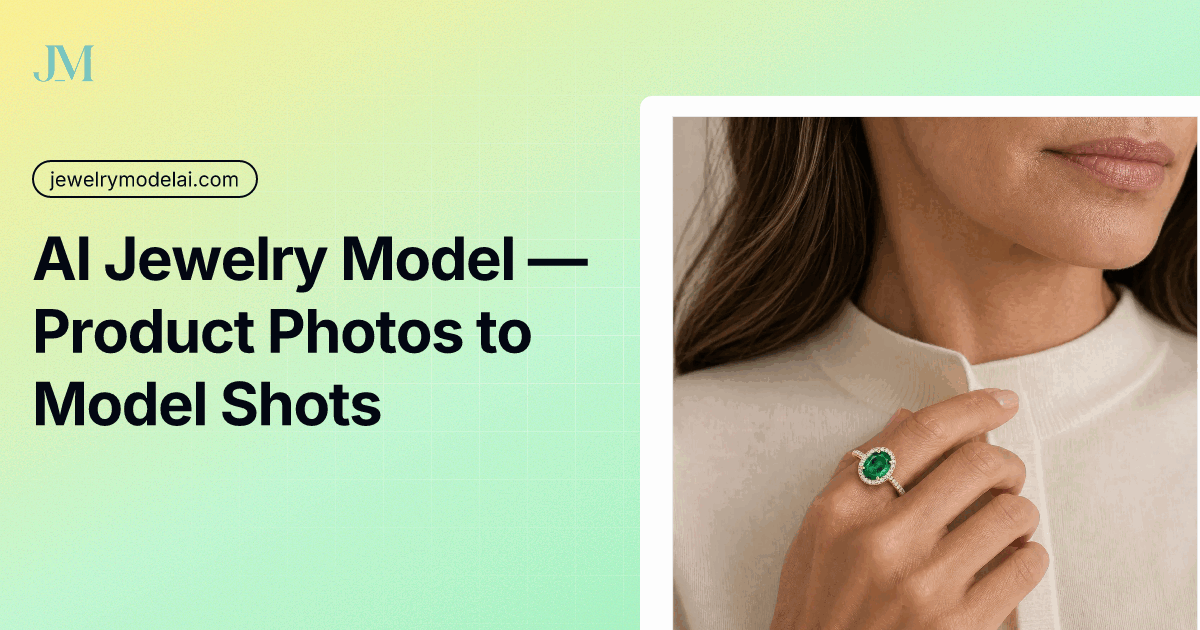
Turn jewelry product photos into polished on-model marketing images with AI.
Overview
You upload a jewelry product photo and get back a marketing image with the piece shown on a model — no photoshoot, no stylist, no studio rental. The tool handles the compositing so your rings, necklaces, and earrings appear worn in a consistent, professional context. This is useful when you need to populate a product catalog quickly or keep visual style consistent across a large SKU count. Instead of coordinating a shoot every time you add inventory, you run the photo through the tool and move on. It's free to use, which makes it low-risk to test against your existing workflow. If the output quality holds up for your brand's standards, it replaces a recurring production cost.
- Convert flat product photos into on-model marketing images without a photoshoot
- Process jewelry across categories — rings, necklaces, earrings, bracelets
- Maintain consistent visual style across multiple products in a catalog
- Generate images fast enough to fit into a product-launch workflow
- Use at no cost with no upfront commitment
What stands out
- Free tier removes the barrier to testing it against your real product images
- Cuts the cost and scheduling overhead of model photography for standard catalog work
- Consistent output style helps maintain brand cohesion across large catalogs
- Faster turnaround than coordinating a shoot, especially for small teams
Where it falls short
- AI-generated model images may not match the specific aesthetic or diversity requirements of your brand
- Output quality depends heavily on the input photo — poor product shots will produce poor results
- Free tools in this category often have output resolution or usage limits that matter at scale
- Not a substitute for editorial or campaign photography where creative direction matters
Who it's for
- Jewelry brands that shoot products on white backgrounds but need lifestyle-style images for ads and social
- Small ecommerce teams without budget or bandwidth for recurring model shoots
- Solo founders launching a jewelry line who need polished visuals before they can afford a photographer
- Dropshippers and resellers who receive plain product images and need to differentiate their listings
- Marketing teams managing high SKU counts that make per-item photoshoots impractical
Pricing
What we hold on record for AI Jewelry Model.
- Pricing model
- Free Tool
Advertised prices often assume annual billing — The Annual-Billing Illusion , our study of 150 tools.
Our take
Ghost photographer for jewelry sellers
— Toolhunter editors
Frequently asked questions
Is AI Jewelry Model free?
Yes — AI Jewelry Model is free to use.
How much does AI Jewelry Model cost?
Nothing — it's completely free.
What is AI Jewelry Model used for?
Ghost photographer for jewelry sellers. It's listed under Design in our directory.
What are the best AI Jewelry Model alternatives?
The closest matches in our directory are AI Sticker Maker, Home Design AI, Book Cover Generator and ogimagegenerator.dev — see "More tools like this" below for the full set.
Keep comparing
Reviews
No reviews yet
Be the first to share your experience.
More tools like this
All Design tools →Looking for AI tools similar to AI Jewelry Model? These are the closest picks in our index.
AI Sticker Maker is a free online AI sticker generator. Turn a short text prompt or portrait into a clean sticker, then download PNG or WebP. Guests get 3 generations with no account or credit card. Failed generations return the credit. One-time credit packs available—no subscrip

AI-powered home design tool for interiors, exteriors, and floor plans. Upload a photo and get realistic redesign renders in seconds.

AI book cover generator for indie authors: turn your title, genre and story summary into two distinct cover directions, then refine and download.

Paste a URL and AI reads your page, picks up your brand colours, fonts and logo, and designs Open Graph images that fit it. Edit everything, export a PNG or get a hosted og:image link. Free, no account.
Animate a Drawing AI turns hand-drawn pictures, doodles, pencil sketches, and illustrations into animated videos while preserving their original visual style.

Turn a photo of yourself, your pet, or a character into a personalized Burning Bridges AI dance video with synchronized audio, ready to share on TikTok, Reels, and Shorts.
Study color, typography and layout across 139 brand-design references in structured Markdown, then bring clearer context into AI-assisted design briefs.

Blur faces, text & license plates instantly in your browser. 100% private AI — no uploads, no sign-up.

AI tattoo generator for turning ideas, photos & sketches into expressive designs.