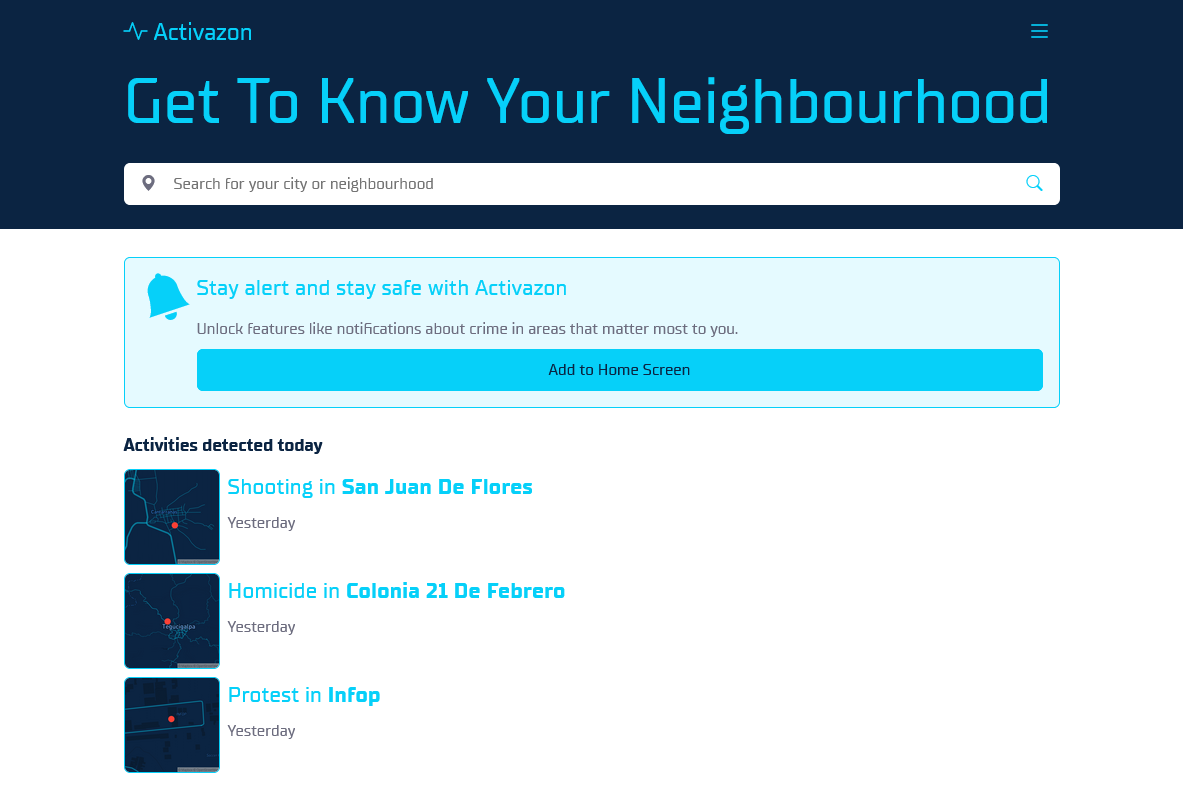

Overview
- Crime report analytics
- Keeps residents and visitors informed
- Tracks activities in neighbourhoods
- Provides real-time updates
- User-friendly interface
Who it's for
- Concerned parents who want to keep their children safe in their neighbourhoods.
- Elderly individuals who may be more vulnerable to crime and want to stay informed about their surroundings.
- Real estate agents who want to provide their clients with information about the safety of potential neighbourhoods.
- Tourists who want to stay informed about the safety of the areas they are visiting.
- Community leaders who want to stay informed about crime trends in their neighbourhoods and take action to improve safety.
Pricing
What we hold on record for Activazon.
- Pricing model
- Free Tool
Advertised prices often assume annual billing — The Annual-Billing Illusion , our study of 150 tools.
Frequently asked questions
Is Activazon free?
Yes — Activazon is free to use.
How much does Activazon cost?
Nothing — it's completely free.
What are the best Activazon alternatives?
The closest matches in our directory are Darrow AI, Linksquares, Maigon.io and Traverse AI™ — see "More tools like this" below for the full set.
Keep comparing
Reviews
No reviews yet
Be the first to share your experience.
More tools like this
All Law and Legal tools →Looking for AI tools similar to Activazon? These are the closest picks in our index.

Darrow's AI tool predicts legal outcomes and assesses case value.

AI-powered contract management tool for efficient drafting, review, and execution.

Maigon AI: AI tool for contract review, saves time and ensures accuracy.

Traverse AI™ is an AI-driven legal assistance web application.

Ask AI Lawyer: Free, fast, accurate legal answers with advanced AI.

Ferret is an AI-powered tool for relationship intelligence and due diligence.

Legalese Decoder simplifies legal documents with AI-driven analysis and plain language.

AI-Lawyer: Instant, affordable legal advice and document creation tool.

Spellbook: AI tool for faster contract drafting in Microsoft Word.