Canva Text to Image
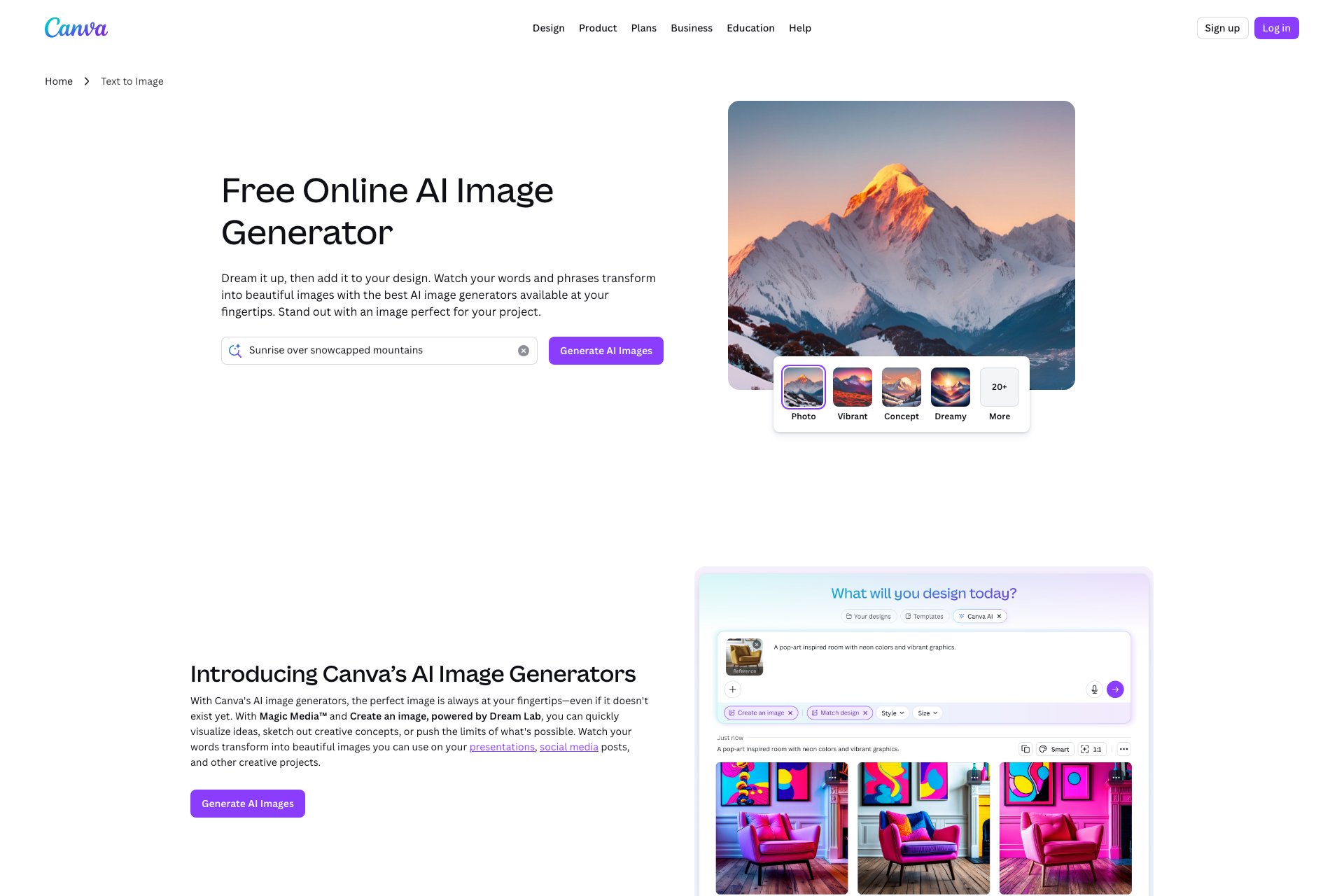
Image-generating tool creates visuals from descriptions.
Overview
1. Ability to generate any image based on user description 2. Brand-new technology for advanced image generation 3. User-friendly interface for easy input and output 4. High-quality images with customizable settings 5. Fast processing time for efficient use of the tool.
Who it's for
- Graphic designers who need to create high-quality images quickly and efficiently.
- Social media influencers who require visually appealing content for their posts.
- Marketing professionals who need to create eye-catching advertisements.
- Small business owners who want to create professional-looking graphics for their website or promotional materials.
- Students or hobbyists who enjoy creating digital art and want to experiment with new tools.
Pricing
What we hold on record for Canva Text to Image.
- Pricing model
- Freemium
- Plan details
- Paid plans start from 4.08/mo
Advertised prices often assume annual billing — The Annual-Billing Illusion , our study of 150 tools.
Frequently asked questions
Is Canva Text to Image free?
There's a free tier. Paid upgrades are available.
How much does Canva Text to Image cost?
Paid plans start from 4.08/mo.
What are the best Canva Text to Image alternatives?
The closest matches in our directory are TattooTryOn, SkyboxKit, AIPetGen and TatSketch — see "More tools like this" below for the full set.
Keep comparing
Reviews
No reviews yet
Be the first to share your experience.
More tools like this
All Image Generator tools →Looking for AI tools similar to Canva Text to Image? These are the closest picks in our index.
See a tattoo on your own body before you ink
AI skybox generator for custom 360° game environments. Create from text or reference images, preview online, and export panoramas or cubemaps.
Create anything with your pet.
Turn your ideas into custom tattoo designs with AI, explore six styles, and create visual references to discuss with your tattoo artist—try your first design free.
Production-ready image generation and editing with GPT Image 2 API
A free AI tool that generates consistent characters across images and videos, ensuring the same face in every frame. Users can upload a character, change outfits, poses, and scenes, and create videos.

Create and edit AI photos, free to try without sign-up.
The fastest AI STL generator to turn prompts and images into 3D printable STL files.
AI toolkit for image and video generation